Website Brief: How to Prepare a Brief for a Website Project?


A website project rarely goes off the rails because of a lack of ideas. Much more often, the problem is a lack of clarity: why is the website being created, who is its target audience, what content is needed, which features should support sales, and how will we even know if the project was a success.
That’s exactly why a website brief isn’t a formality or an attachment “just for the sake of it.” It’s a document that clarifies decisions even before work begins on UX, content, graphic design, and implementation. A well-prepared brief reduces guesswork, minimizes costly revisions, and helps create a website that not only looks aesthetically pleasing but also effectively supports business goals.
If a company is planning a new website or a redesign of its current site, the brief serves as the starting point for the entire process. It is on this basis that the design team understands the priorities, scope, constraints, and expected outcome.
If you want to better understand what sets professional websites apart, it’s worth treating the brief as the first step in building that quality.
Key Information
- A website brief compiles the most important information about the project’s goal, target audience, scope of the site, content, features, technical requirements, and success criteria.
- A good brief doesn’t have to be long. It should be specific and eliminate any room for guesswork in key areas of the project.
- The most important elements of the brief are: the website’s purpose, target audience, offering, site map, content, features, integrations, SEO, analytics, and how to measure results.
- The better the brief, the fewer random decisions are made during the design, copywriting, UX, and implementation phases.
What is a website brief, and why is it prepared?
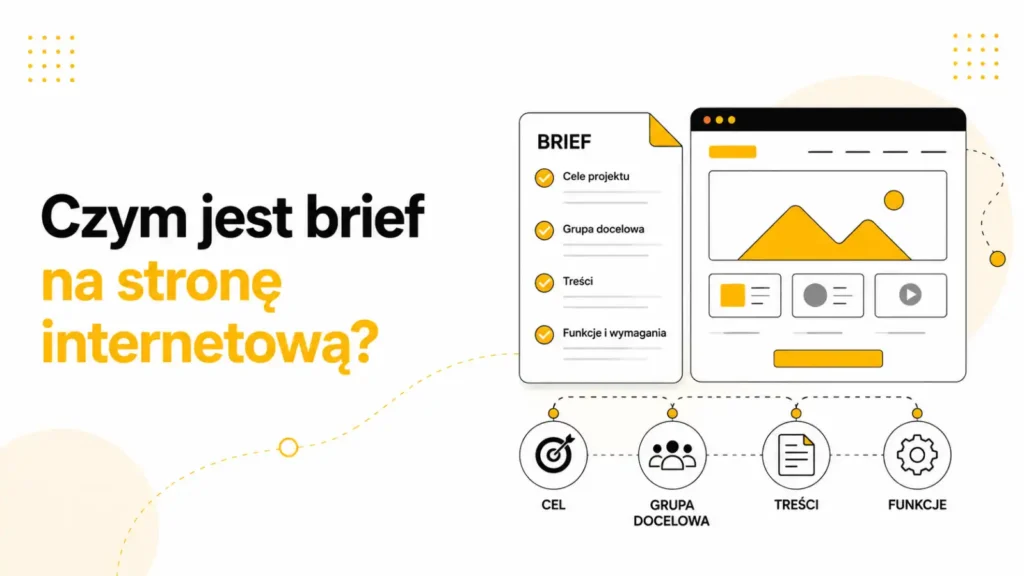
A website brief is a working document that organizes the information needed to plan and execute a website project. It’s not about creating a multi-page report, but about gathering answers to questions that truly influence design decisions.
A well-prepared brief tells the team: what the website’s goal is, who is supposed to use it, what user problems it is meant to solve, what elements are necessary to get started, what materials already exist, what is missing, and how the project’s effectiveness will be evaluated.
In practice, the brief serves as a decision-making tool. It makes it easier to set priorities, define the scope of work, and determine the sequence of actions. Without it, a project often begins with a discussion about the website’s design before anyone has precisely defined what the website is meant to achieve.
What business goal is the website intended to achieve?

The most important part of the brief is the answer to the question: why is the new website being created? It’s not enough to say that it should be “modern” or “more user-friendly.” The goal should stem from the business itself, not just aesthetics.
For one company, the goal might be to increase the number of inquiries submitted via the contact form. For another, it might be to organize its product offerings, support sales representatives, improve lead quality, generate more phone calls, or better showcase its expertise in the customer acquisition process.
A good brief should describe not only the goal itself but also the context: what isn’t working today, what the limitations of the current website are, and what changes are expected after implementation. This approach helps distinguish between a website intended to be a showcase and one intended to be a real sales tool.
How do you describe the target audience and its needs?

A website is not created for “everyone.” If the brief doesn’t specify the primary audience, the project quickly becomes a series of compromises that fail to drive anyone to take action. That’s why it’s important to describe who the most important users are, what they’re looking for, what their concerns are, and what questions they ask themselves before making contact.
You don’t need to include detailed buyer personas in the brief, but it’s helpful to specify: who the primary audience is, what problem brings them to the site, what stage of the decision-making process they’re in, and what they should do after arriving on the site. You design a website for a service-based company differently than an expert B2B site, and yet differently still than a landing page for a campaign.
This is also the point where the brief should align with UX. If the user is busy, comparing several offers, and wants to quickly assess the company’s credibility, the site must be simple, to the point, and lead to contact without unnecessary obstacles. This is precisely why the brief later influences mockups, information architecture, and CTAs.
How do you define the scope and structure of a website?

One of the most common problems in website projects is an imprecise scope. The client knows they need a “new website,” but doesn’t specify which subpages are necessary to start with, which sections should support sales, and what information must be included on the site in the first version.
A good brief should outline the website’s basic structure: the homepage, the main offering, service or product subpages, case studies, FAQs, a blog, contact information, as well as any additional sections required for the specific industry. It doesn’t have to be a fully developed information architecture, but it should be a sufficiently precise roadmap for the design team to understand the direction.
This is also important because without such a structure, it’s very difficult to plan content, SEO, and navigation effectively. A website designed to drive sales must guide the user in a logical way: from understanding the problem, through the offer and trust-building elements, all the way to making contact or submitting an inquiry.
What features and integrations should be described in the brief?

The site structure alone isn’t enough. The brief should also address what features the site should have. This isn’t just about a contact form, but also all the elements that impact user experience and the customer acquisition process.
Depending on the project, these may include: multi-step forms, CRM integrations, a blog module, offer filtering, the ability to download materials, integration with analytics tools, maps, a newsletter, a booking system, or integration with marketing automation tools.
The more precisely the features are described in the brief, the lower the risk that they’ll only come up after the design phase, when making changes will be costly. The brief should also indicate which features are necessary at launch and which can be implemented later.
How to prepare information about content and materials?
Many website projects are delayed not by design or implementation, but by content. Therefore, the brief should clearly outline what materials already exist, who is responsible for preparing them, and what is still missing.
In practice, it’s worth including: service descriptions, photos, brand imagery, testimonials, case studies, visual identity elements, as well as determining whether the content will be written from scratch, updated, or transferred from the previous website.
This is particularly important for copywriting. The text on the website shouldn’t be a general description of the company. It must answer the user’s questions, address objections, and drive action. Without a brief, a copywriter often lacks sufficient context to create messaging tailored to the audience.
How can you incorporate SEO right from the briefing stage?

If SEO isn’t considered until after the graphic design phase, it very often has to be adapted to the finished page layout. This increases the risk of there not being enough space for key content, a logical division of subpages, a correct URL structure, or sections that address actual search intent.
That’s why a good brief should include at least the basic SEO guidelines: which services or products should be visible on Google, which areas of the offering require separate subpages, whether a migration of the current website is planned, what content needs to be prepared, and how to maintain consistency between structure, UX, and visibility.
At the brief stage, you don’t need to have a complete SEO strategy, but it’s worth knowing whether the new site is intended to drive organic traffic, support local SEO, reinforce the brand’s expertise, or simply improve the indexability and quality of the current site. This influences decisions as early as the information architecture stage.
How does the brief influence UX and information architecture?
UX doesn’t start with a wireframe. It starts with understanding the user, their task, and their decision path. The brief is the starting point for these findings because it defines who uses the site, what they’re looking for, and what action they need to take.
If the brief accurately describes the audience and the website’s purpose, it’s easier to design the order of sections, navigation, content layout, and CTAs. Without this information, the design process very quickly devolves into a matter of personal taste: “I like this,” “this looks modern,” “this will feel more premium.”
A well-prepared brief limits this kind of randomness. It facilitates the design of information architecture and helps make decisions based on the website’s functionality, not just its aesthetics. This is particularly important in projects where the website is intended to support lead generation, educate customers, or organize a complex product or service offering.
How do you define the criteria for a project’s success?
One of the most commonly overlooked elements of a brief is answering the question: How will we know that the new website performs better than the previous one? Without this, the project may be evaluated solely based on its appearance rather than its business impact.
Therefore, it’s worth specifying in the brief which metrics matter. These might include: the number of inquiries, lead quality, the number of phone calls, time spent on the site, the conversion rate to contact, offer downloads, an increase in organic traffic, or improved visibility of selected services.
Not every company needs a comprehensive dashboard, but every company should know what it’s measuring. This ensures the project team understands that the website must not only look good but also deliver concrete results.
A UX audit is particularly helpful during the phase of getting to know the audience and identifying user problems, as it helps avoid designing based solely on assumptions.
If the project involves a major redesign or building a website from scratch, it’s a good idea to link the brief to the web design process right away so that the scope of the website isn’t disconnected from the actual development process.
If the project requires organizing communication, it’s also worth planning the scope of copywriting in advance, because the website’s content should stem from the brief, rather than being added only at the end of the process.
In practice, it’s best to combine the brief with an SEO analysis or with materials published in the SEO & SEM section, especially when the new site is intended to replace an existing one and inherit its visibility.
Common Mistakes When Preparing a Brief

- Lack of a single, specific goal for the website.
- A description of the target audience that is too general.
- No decision on which subpages are necessary at launch.
- An undefined scope of content and materials.
- Omitting functionality, integrations, and analytics.
- Lack of information about the website’s current issues or the reasons for the redesign.
- Treating the brief as a formality rather than a decision-making tool.
A Practical Checklist for a Website Brief
If you want to quickly check whether the brief is specific enough, go through this short checklist:
- Can the website’s goal be described in a single, specific sentence?
- Is it clear who the primary audience is and what problem the website is meant to solve?
- Have the most important services, products, or areas of the offering been identified?
- Has the basic structure of the subpages been described?
- Is it clear what content already exists and what’s missing?
- Have the key features and integrations been described?
- Does the brief address SEO, analytics, and how to measure results?
- Is it clear who approves the project and makes decisions on the client’s side?
Practical Example
Let’s say a service company wants a new website because the current one “is outdated.” That’s not enough to launch a meaningful project. Only the brief reveals whether the problem is the design, too few inquiries, poor presentation of the offerings, an unclear structure, or a lack of trust on the user’s part.
If the client specifies that the new website is intended to increase the number of high-quality leads, clearly outline the collaboration process, organize the services, and simplify the path to contact—the team will work based on specific objectives from the very beginning. Then, the UX, copy, and graphic design are created based on the goal, rather than on loose associations.
This is the greatest value of the brief: it doesn’t speed up the project because everything becomes simpler, but because the most important decisions are made earlier.
Expert Insight
A website project brief shouldn’t be treated as a document to simply “check off the list.” Its true role is to transform a general idea into a decision-making framework for strategy, UX, content, and implementation. The better the brief describes the goal, the target audience, and the scope, the less room there is for random revisions, misunderstandings, and costly changes midway through the project.
FAQ
Does the brief have to be very detailed?
No. The brief doesn’t have to be long, but it should be specific. The most important thing is that it answers the questions needed to start the project and make decisions.
Who should prepare the brief?
Ideally, someone who is familiar with the company’s business goals, offerings, and customers. An agency or contractor can help refine the brief, but shouldn’t have to guess at the fundamentals of the strategy.
Can the brief be changed during the project?
Yes, but major changes usually affect the scope, timeline, and cost of the work. That’s why it’s important to finalize key decisions before the project begins.
Is a brief also necessary for a small service website?
Yes, because even a small website needs a goal, a clear offering, and a well-thought-out customer journey. The scale of the project may be smaller, but the need to organize decisions remains.
Does the brief replace an SEO or UX strategy?
No. The brief does not replace an in-depth analysis, but it helps identify where SEO and UX should be integrated into the project and what goals they are meant to support.
Summary
A website brief helps translate a general idea into a structured design process. It clarifies why the site is being built, who its target audience is, what content and features are needed, and how to evaluate the project’s overall effectiveness.
A good brief doesn’t limit creativity. On the contrary: it provides a framework within which strategy, UX, copywriting, and design can work together toward a common goal. And that’s what distinguishes a visually appealing website from one that actually supports the business.


